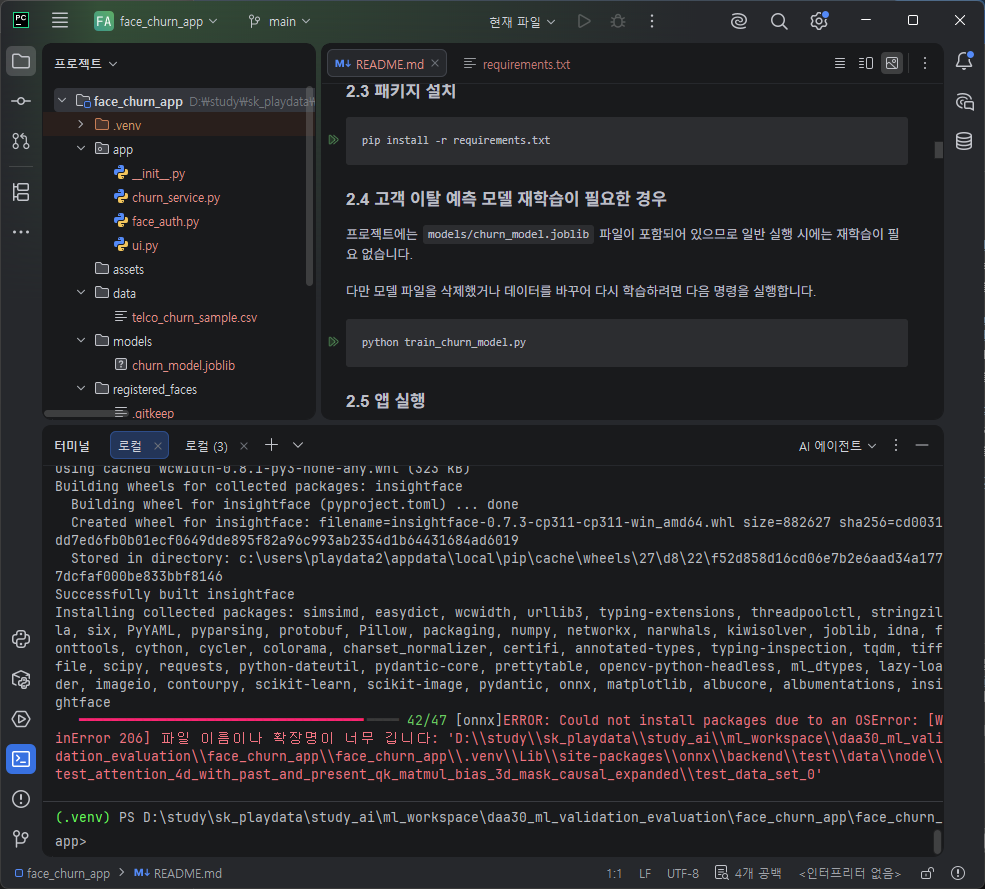
pip install insightface==0.7.3

solver, joblib, idna, fonttools, cython, cycler, colorama, charset_normalizer, certifi, annotated-types, typing-inspection, tqdm, tifffile, scipy, requests, python-dateutil, pydantic-core, prettytable, opencv-python-headless, ml_dtypes, lazy-loader, imageio, contourpy, scikit-learn, scikit-image, pydantic, onnx, matplotlib, albucore, albumentations, insightface
   ━━━━━━━━━━━━━━━━━━━━━━━━━━━━━━━━━━━╸━━━━ 42/47 [onnx]ERROR: Could not install packages due to an OSError: [WinError 206] 파일 이름이나 확장명이 너무 깁니다: 'D:\\study\\sk_playdata\\study_ai\\ml_workspace\\daa30_ml_validation_evaluation\\face_churn_app\\face_churn_app\\.venv\\Lib\\site-packages\\onnx\\backend\\test\\data\\node\\test_attention_4d_with_past_and_present_qk_matmul_bias_3d_mask_causal_expanded\\test_data_set_0'
WinError 206은 파일 이름이나 전체 경로(Path)가 너무 길어서 발생하는 오류
C:\Users\사용자이름\Documents\프로젝트\인공지능실습\머신러닝\자연어처리\가상환경\...
패키지 내부 파일명까지 합쳐지면 Windows의 경로 제한(기본 260자)을 초과할 수 있다.
프로젝트를 짧은 경로로 옮기거나

관리자 권한 PowerShell 실행 - 재부팅
New-ItemProperty `
-Path "HKLM:\SYSTEM\CurrentControlSet\Control\FileSystem" `
-Name "LongPathsEnabled" `
-Value 1 `
-PropertyType DWORD `
-Force
'OS platform > Window' 카테고리의 다른 글
| 윈도우 파일명 깨짐 : 윈도우에서 같은 파일명이 (100)이상 넘어갈때 (0) | 2024.12.16 |
|---|---|
| window 버전확인하는 4가지 방법 (0) | 2023.12.28 |
| stickynote 스티커메모 window시작시 켜기, 앱 자동켜기 (0) | 2023.09.18 |
| Window 키보드 한영전환, 키보드 레이아웃 : 103으로 되어있다면 101로 (0) | 2023.07.19 |
| 폴더삭제권한, 이 폴더를 삭제하려면 관리자 권한이 필요합니다. (0) | 2023.07.18 |


