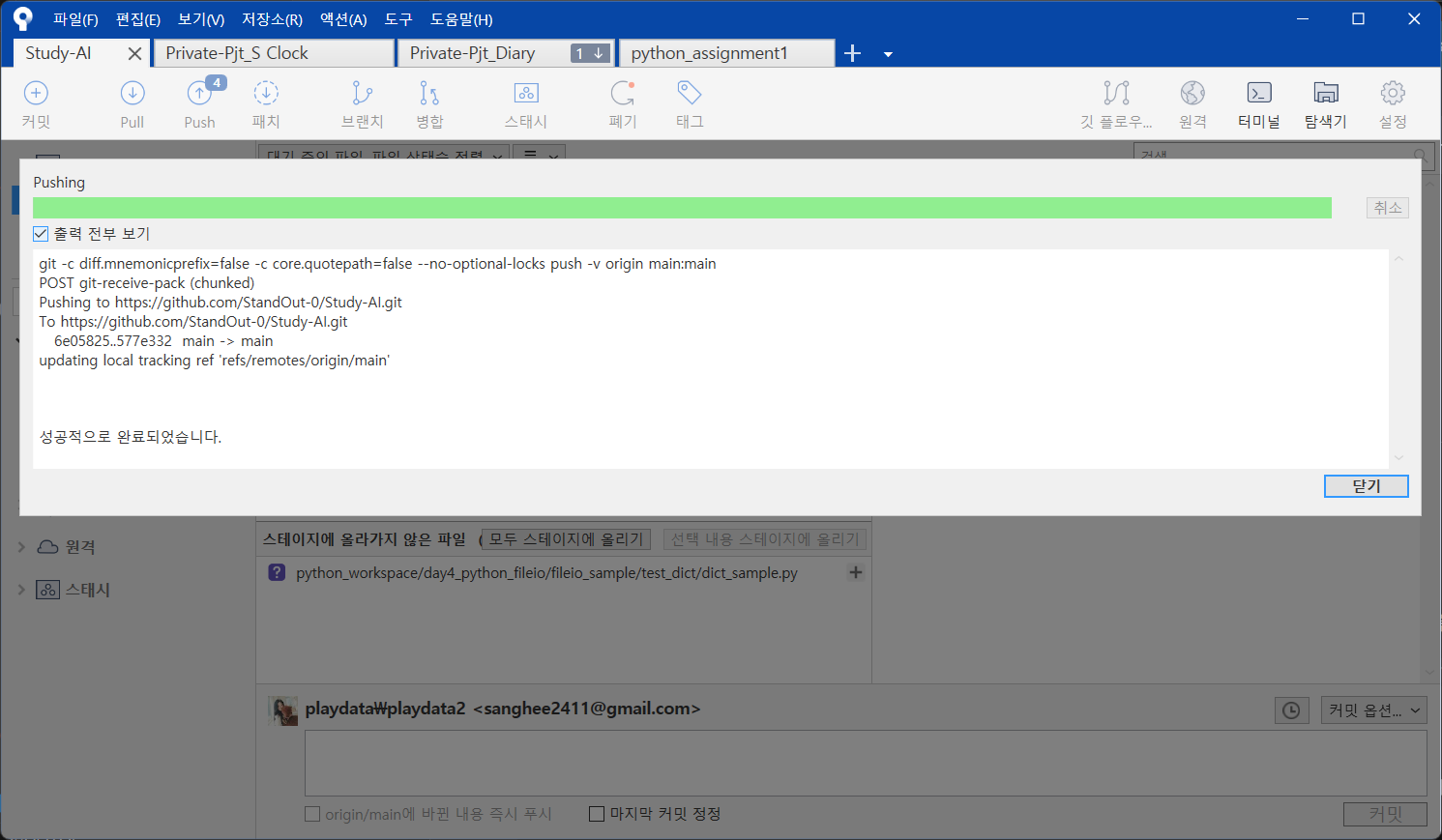
계정연결이 잘 안되었거나,
계정이 여러개일경우 auth가 꼬여서 나는 에러.
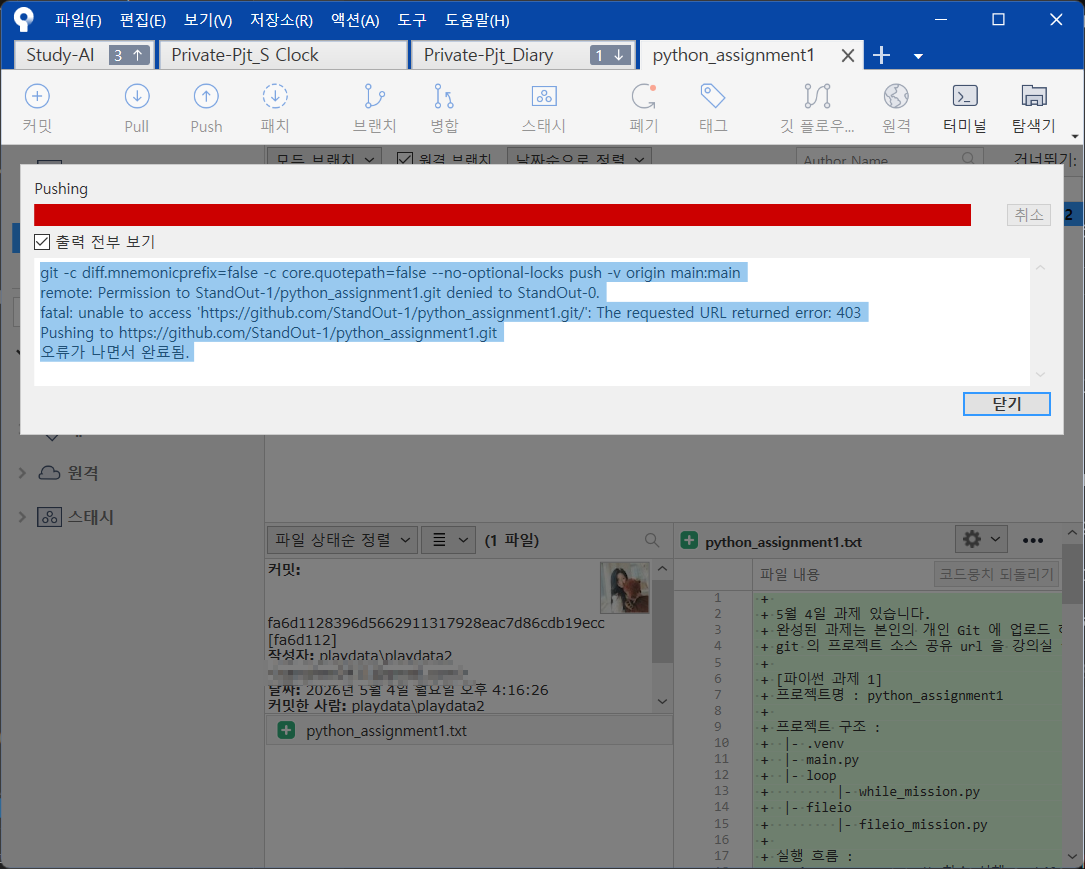
git -c diff.mnemonicprefix=false -c core.quotepath=false --no-optional-locks push -v origin main:main
remote: Permission to StandOut-1/python_assignment1.git denied to StandOut-0.
fatal: unable to access 'https://github.com/StandOut-1/python_assignment1.git/': The requested URL returned error: 403
Pushing to https://github.com/StandOut-1/python_assignment1.git
오류가 나면서 완료됨.
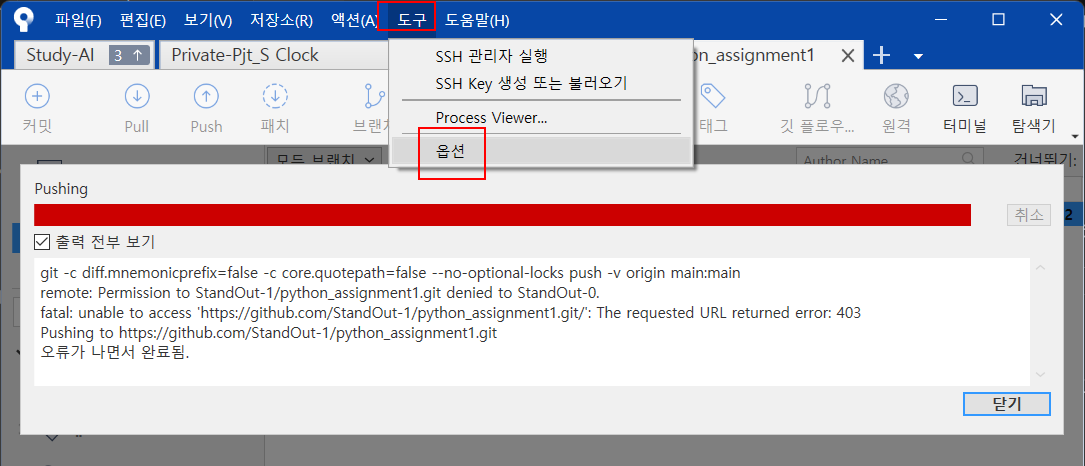
도구 - 옵션
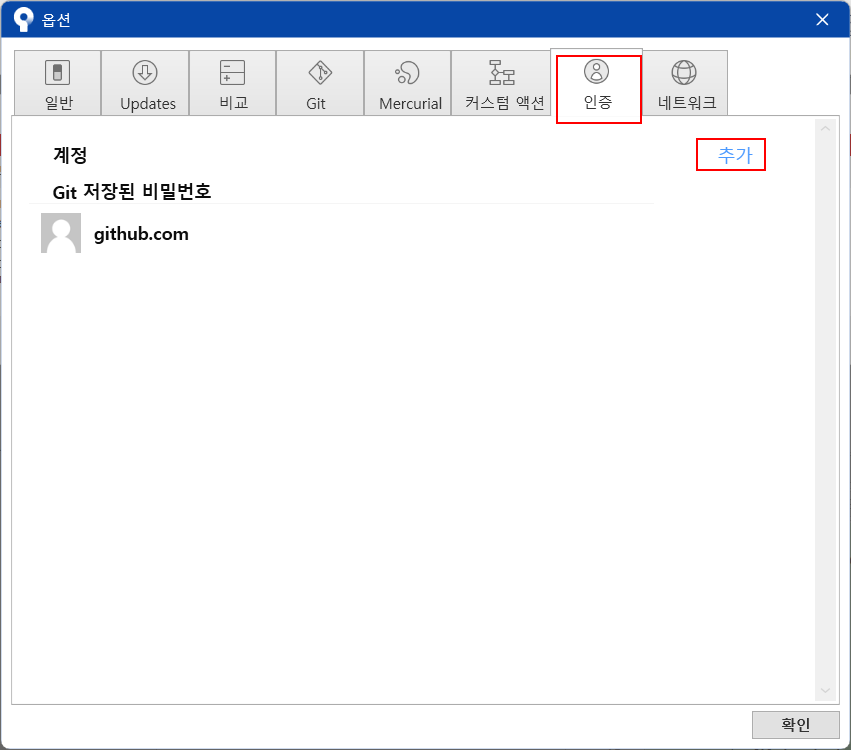
옵션 - 인증 - 추가
git 계정 로그인

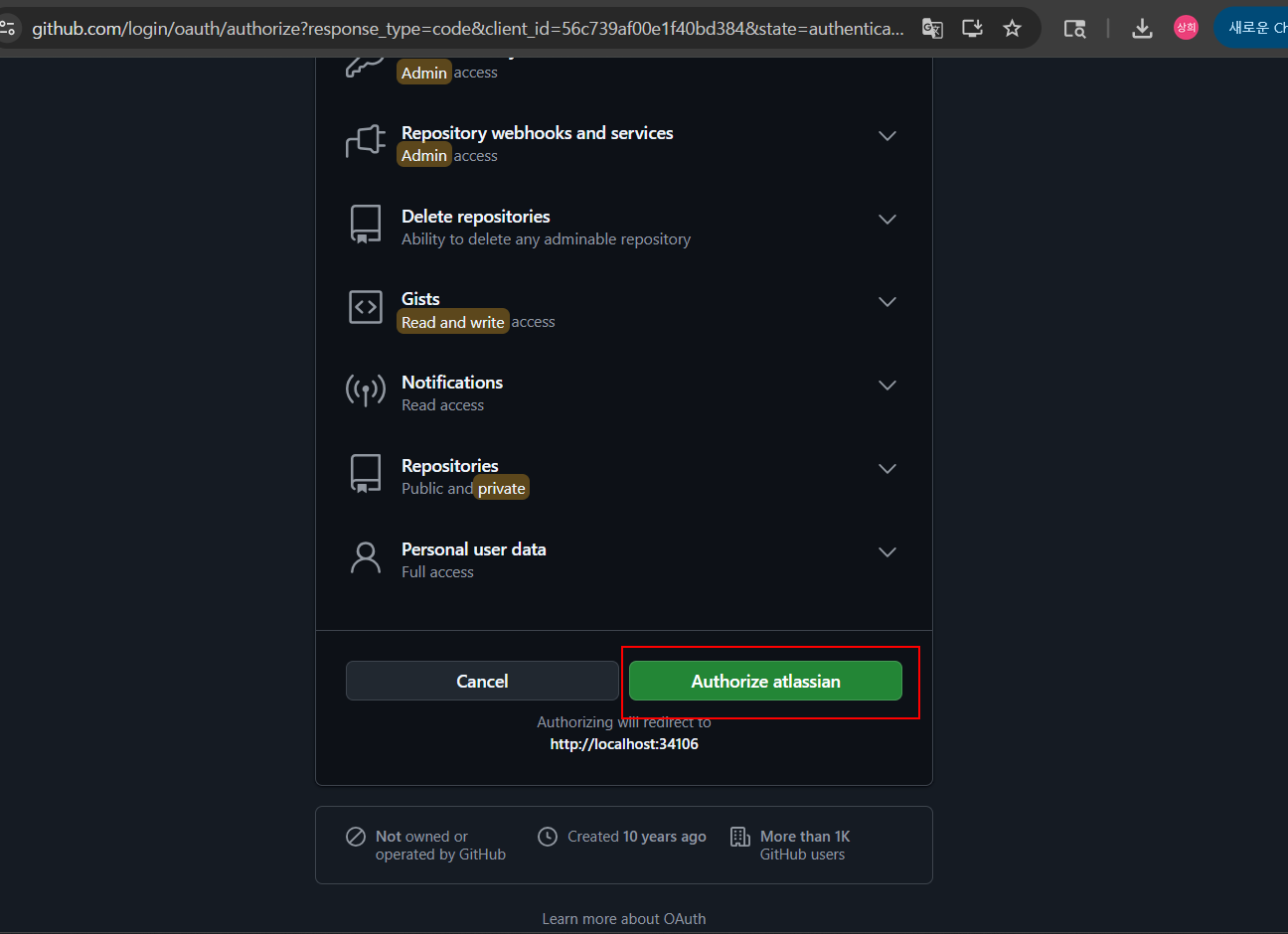
브라우저에서 allow

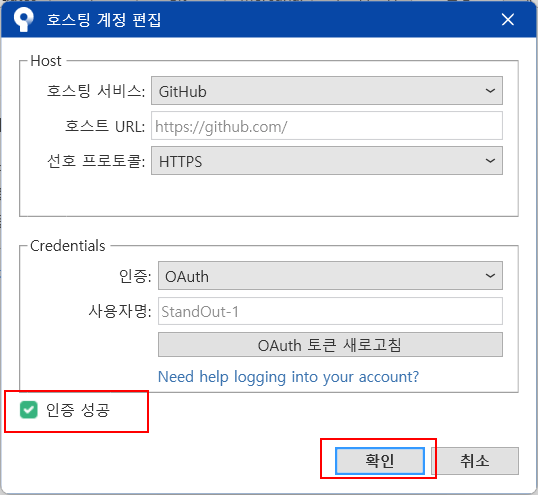
인증성공 확인 - 확인

해결.
다만, git 계정을 여러개 사용할경우,
다른 계정에서 다시 똑같은 에러가 발생할 수 있음
git -c diff.mnemonicprefix=false -c core.quotepath=false --no-optional-locks push -v origin main:main
remote: Permission to StandOut-1/python_assignment1.git denied to StandOut-0.
fatal: unable to access 'https://github.com/StandOut-1/python_assignment1.git/': The requested URL returned error: 403
Pushing to https://github.com/StandOut-1/python_assignment1.git
오류가 나면서 완료됨.
브라우저에서 다른 계정으로 로그인 세팅.

계정추가 - 브라우저 재로그인

인증성공 확인 - 확인

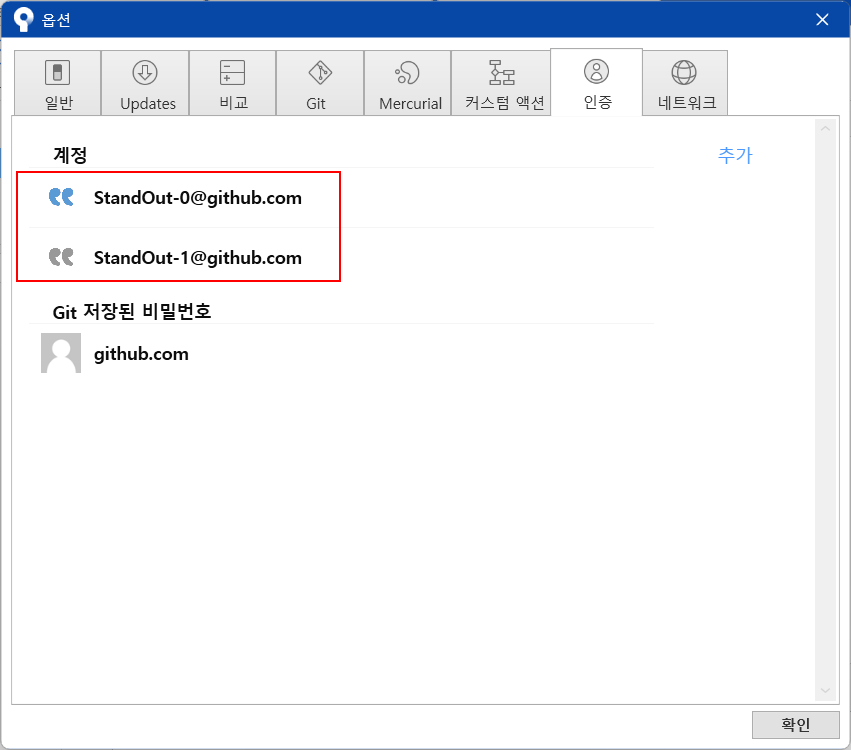
보유한 여러개 계정이 잘 보이는지 확인
설정 - 저장소선택 - 편집
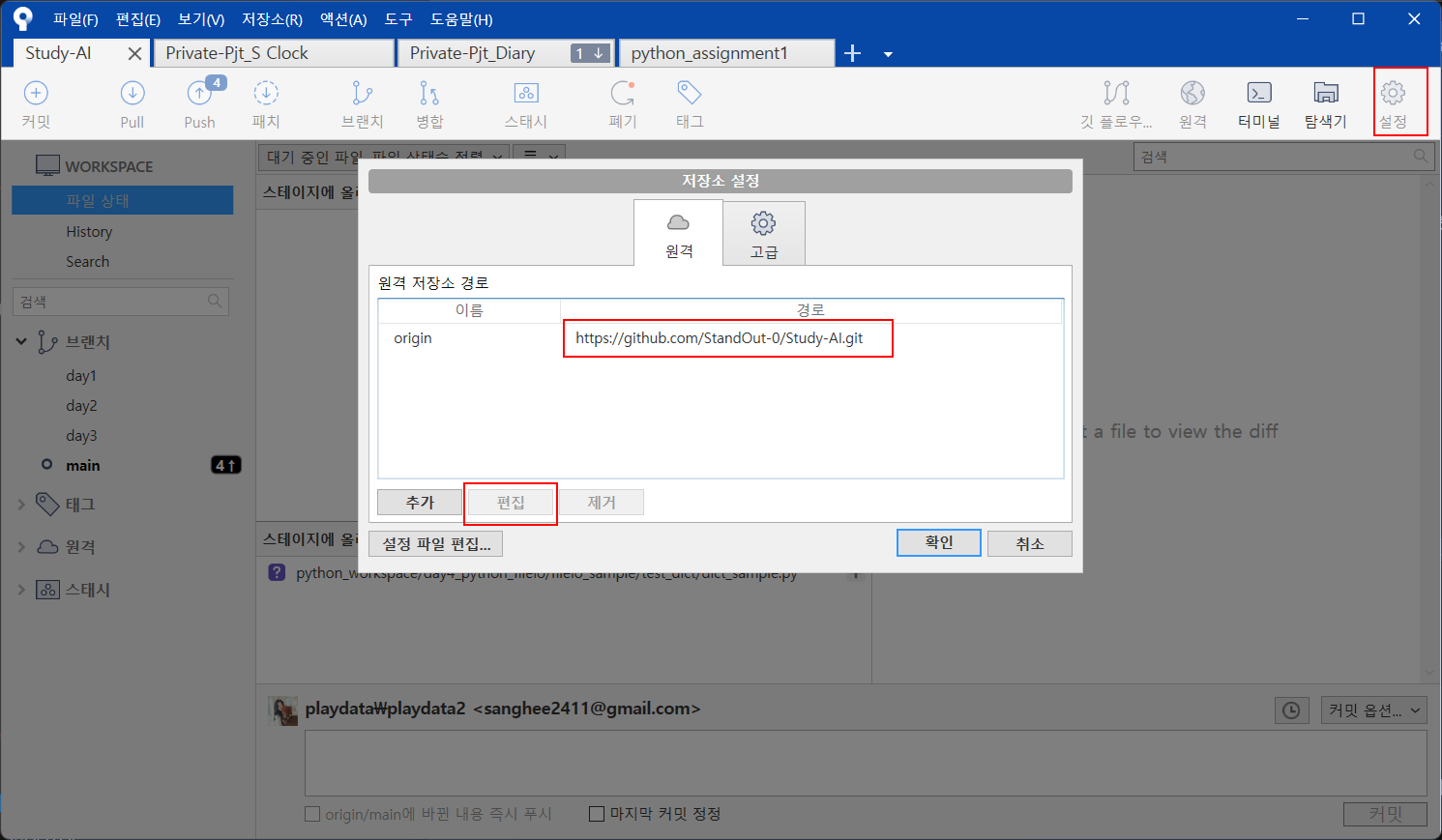
계정선택

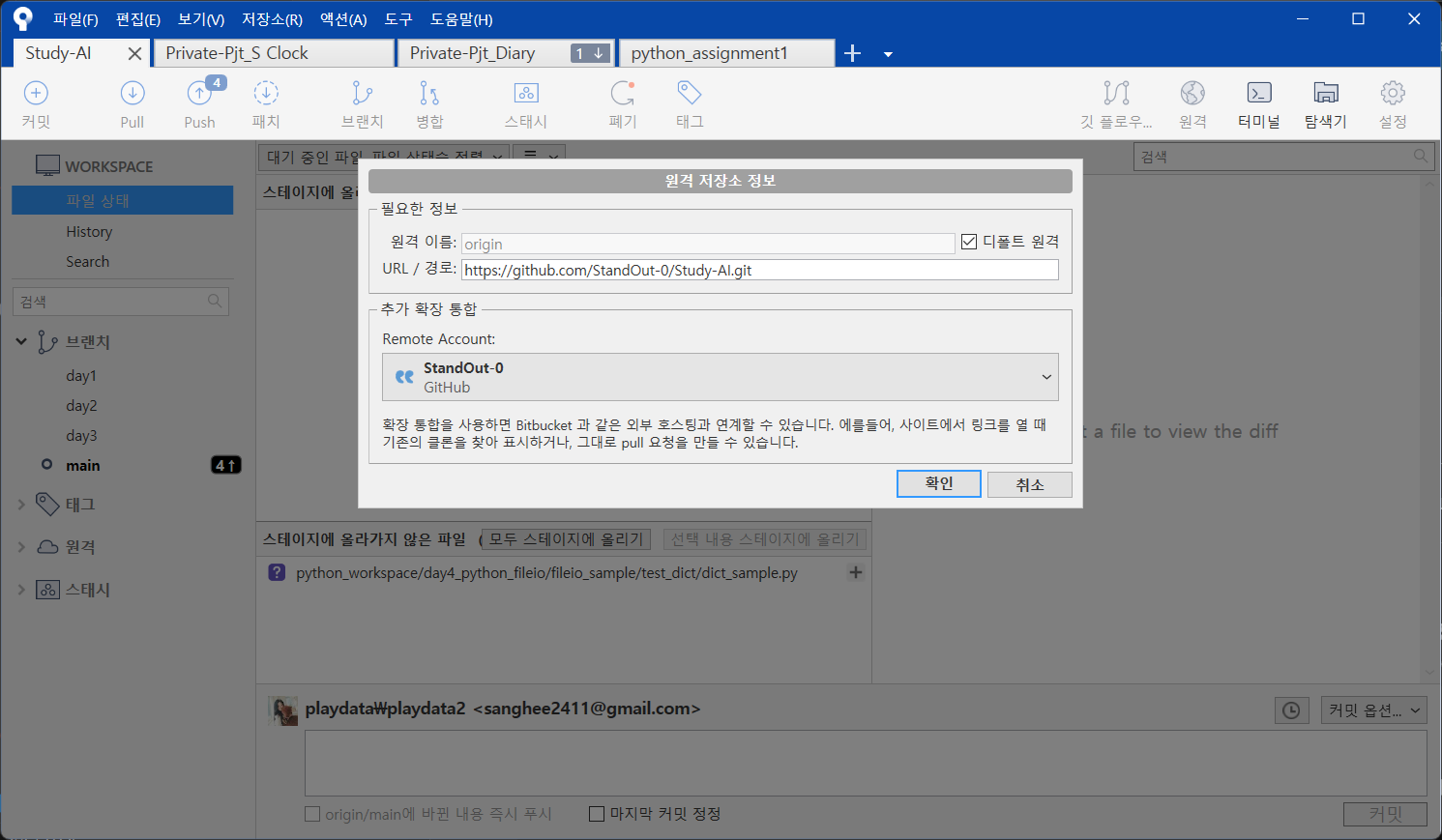
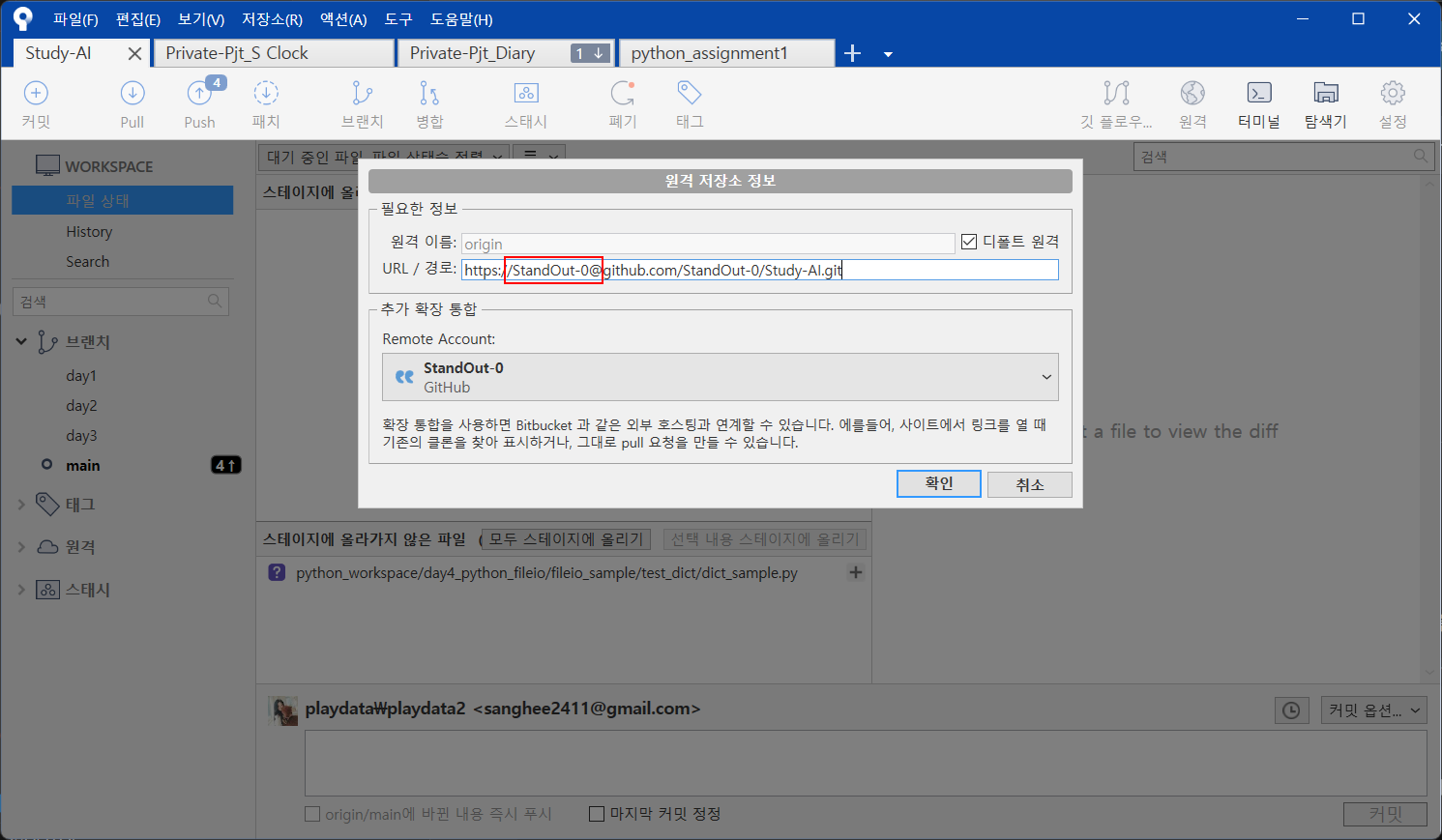
경로에 깃아이디@ 추가
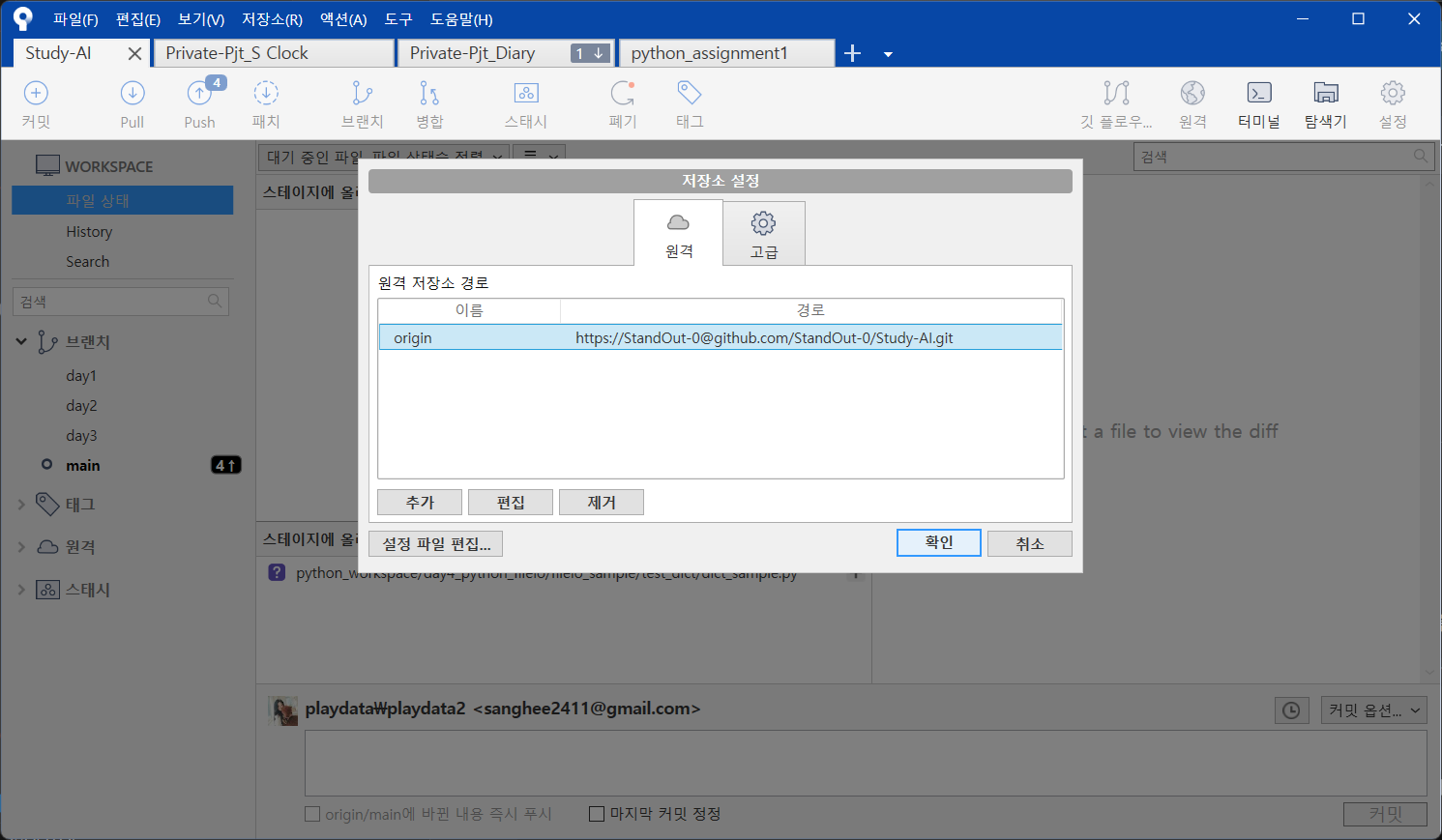
다시 push요청
해결.