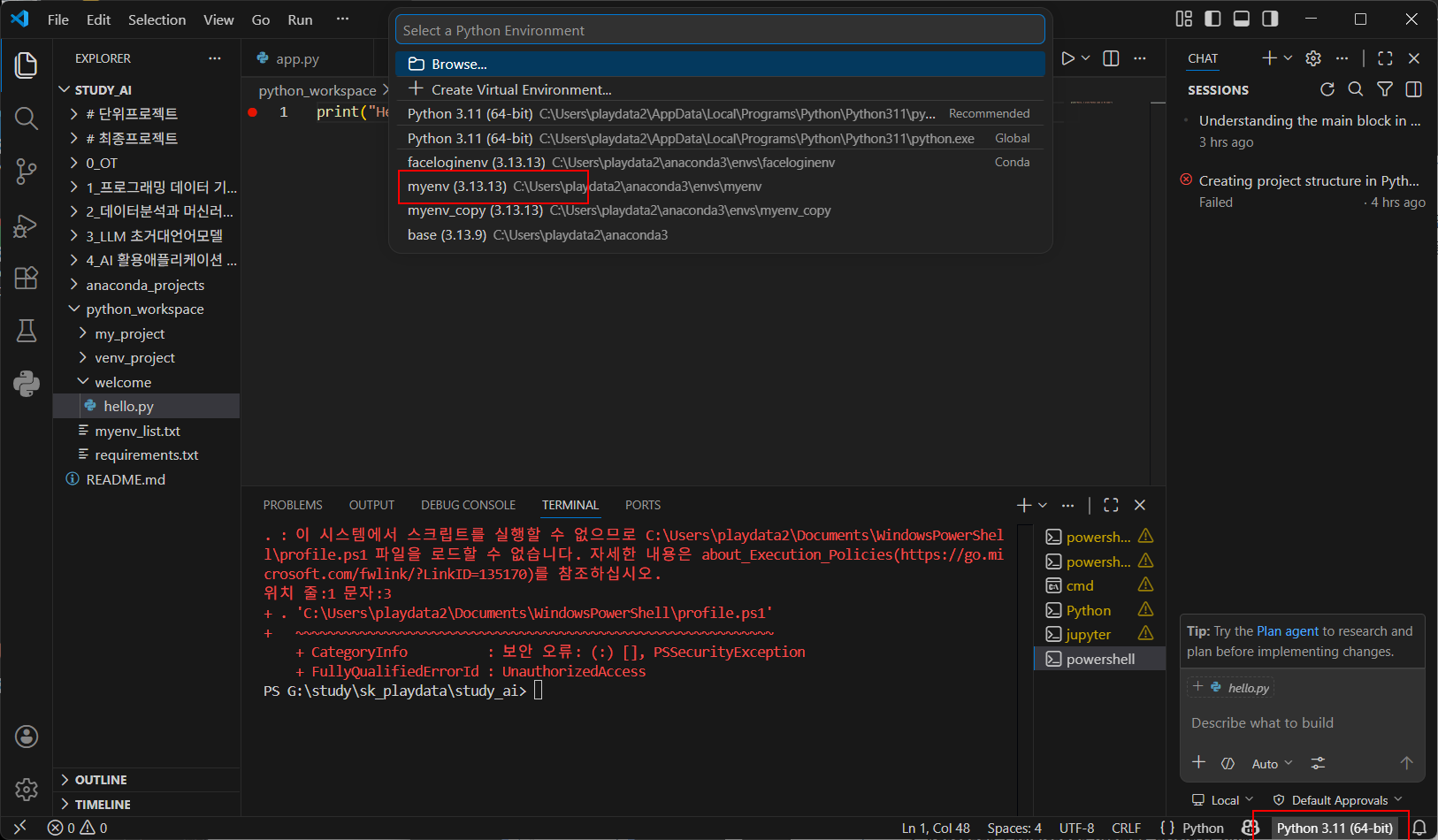
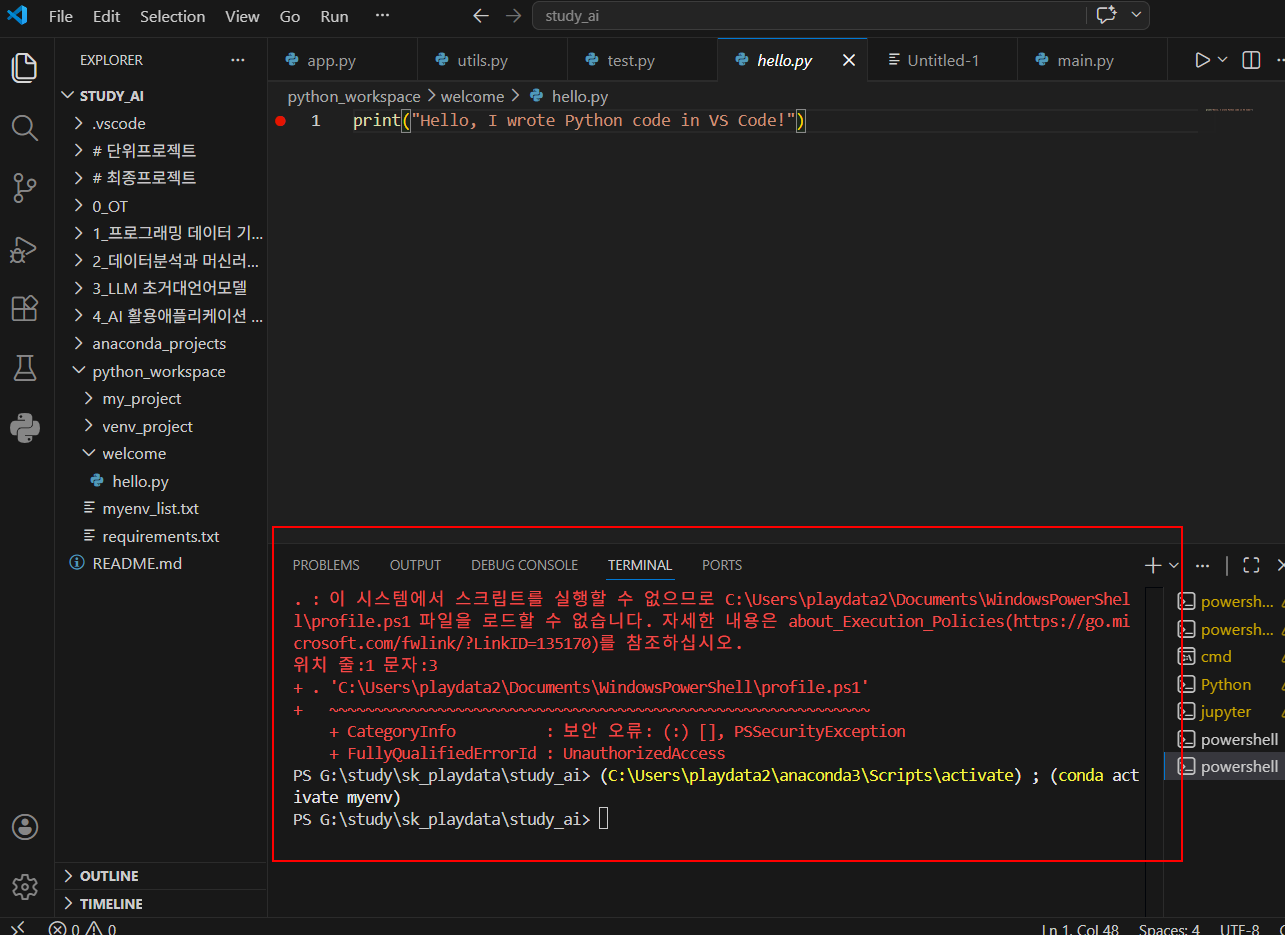
. : 이 시스템에서 스크립트를 실행할 수 없으므로 C:\Users\playdata2\Documents\WindowsPowerShel
l\profile.ps1 파일을 로드할 수 없습니다. 자세한 내용은 about_Execution_Policies(https://go.mi
crosoft.com/fwlink/?LinkID=135170)를 참조하십시오.
위치 줄:1 문자:3
+ . 'C:\Users\playdata2\Documents\WindowsPowerShell\profile.ps1'
+ ~~~~~~~~~~~~~~~~~~~~~~~~~~~~~~~~~~~~~~~~~~~~~~~~~~~~~~~~~~~~
+ CategoryInfo : 보안 오류: (:) [], PSSecurityException
+ FullyQualifiedErrorId : UnauthorizedAccess
PS G:\study\sk_playdata\study_ai> (C:\Users\playdata2\anaconda3\Scripts\activate) ; (conda activate myenv)
PS G:\study\sk_playdata\study_ai>
윈도우 환경에서 스크립트 실행 권한을 변경 하는 명령어
기능: PowerShell 스크립트를 실행하기 위해 현재 사용자의 권한을 'RemoteSigned'로 설정하자.
로컬 컴퓨터에서 작성한 스크립트는 실행 가능하며, 인터넷에 서 다운로드한 스크립트는 신뢰할 수 있는 게시자가 서명한 경우에만 실행되도록 허용하는 보안 설정
시스템 설정을 변경하는 명령어이므로, 신뢰할 수 없는 스크립 트를 실행하지 않도록 주의가 필요하다.
설명은 어렵지만... 대충 어쩌다 보안오류가 걸렸고 그를 로컬컴퓨터에서 작성한 스크립트를실행가능하게하기위해 명령한것.
Set-ExecutionPolicy -ExecutionPolicy RemoteSigned -Scope CurrentUser

정상작동확인
프로젝트 경로로 cd하며 print완료

'Development Tools > VS Code' 카테고리의 다른 글
| Mysql vscode로 띄워 실행하기 (0) | 2026.05.12 |
|---|---|
| vscode running.....에러 (0) | 2026.05.12 |
| Visual Studio 항상 새탭으로 열기 (0) | 2023.07.24 |
| php 메서드/함수/객체의 정의보기 Go to Definition : F12 (0) | 2023.07.24 |
| Visual Studio code sftp sftp.json 속성 (0) | 2023.07.04 |


